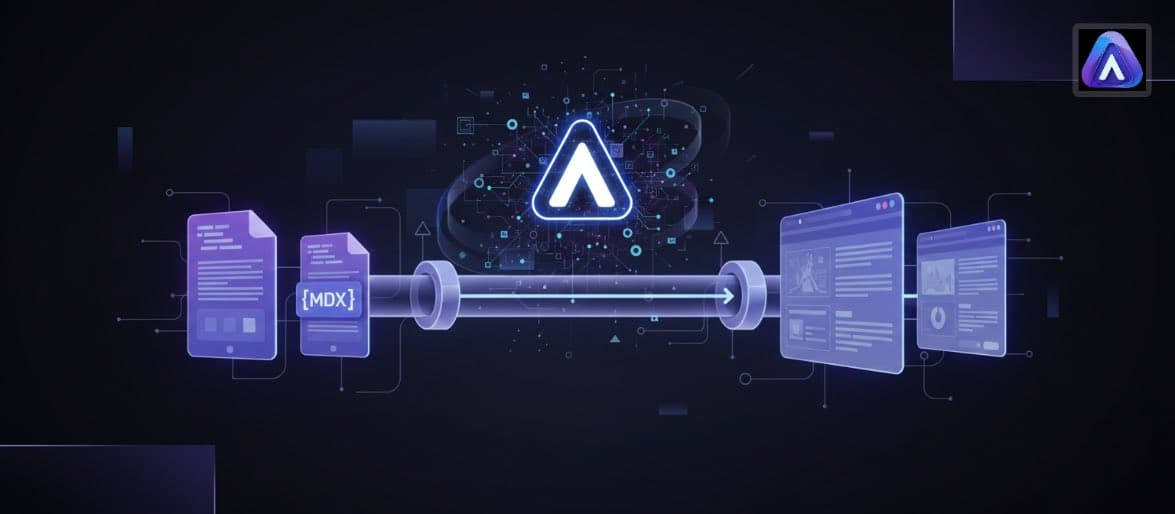
In the modern SaaS ecosystem, technical documentation is no longer just a manual for users—it is a critical part of the product experience and a primary driver of technical SEO. However, a significant friction point exists between content teams using standard CMS tools and engineering teams building on React-based frameworks like Next.js or Docusaurus. The bridge between these two worlds is MDX (Markdown with JSX). This guide will demonstrate how to architect a fully automated MDX publishing workflow using modern AI content operations, ensuring your documentation remains fact-grounded, technically accurate, and developer-friendly.
By automating MDX publishing, UK-based SMBs and SaaS companies can eliminate the friction of porting content from traditional editors into code repositories. Instead of treating documentation as a secondary manual task, you can treat it as code, integrated directly into your CI/CD pipeline. This approach leverages FocusAI's capabilities to ensure that every technical article or guide produced is run through an AEO Analysis (Answer Engine Optimization) and verified against real-time data using Google Grounding before it ever reaches a pull request.
Prerequisites for an Automated MDX Workflow
React-based Framework
Version Control System
FocusAI Content Suite
Node.js Environment
Step 1: Architecting the MDX Schema and Frontmatter
The first step in any successful automated pipeline is defining the structure. Unlike standard Markdown, MDX relies heavily on structured metadata (Frontmatter) to control page layout, SEO tags, and component injection. When using AI content operations, you must define a strict schema that the AI follows to ensure the generated output doesn't break your site's build.
Your schema should include mandatory fields such as title, description, author, and date, but for technical content, you should also include custom fields for React components. For example, if you have a custom 'CodeSnippet' or 'InteractiveDemo' component, your pipeline must be configured to recognize where these should be placed. By establishing these guardrails during the Brand onboarding phase in FocusAI, the engine learns to output MDX that aligns perfectly with your existing design system.
- Define required frontmatter keys (e.g., layout, category, difficultyLevel).
- Map specific React components to AI-generated content blocks.
- Establish global style standards for code block syntax highlighting (e.g., Prism or Shiki).
- Set up validation rules to ensure the MDX parser won't fail during the build process.
Step 2: Leveraging Google Grounding for Factual Accuracy
Technical documentation is useless if it is outdated. In the rapidly evolving SaaS world, APIs change and features are deprecated frequently. Traditional AI tools often rely on static training data, leading to inaccuracies. To solve this, FocusAI utilizes Google Grounding to verify technical claims against live documentation and official sources.
Live API Verification
Fact-Grounded Drafting
AEO Analysis
During this stage, FocusAI operates as a centralized hub where technical writers and developers can collaborate. The 'Content Suite' allows users to set specific 'Brand onboarding' parameters, ensuring that the tone remains professional and the technical terminology is used consistently across the entire MDX library. This eliminates the 'Disconnected tools' problem where content is drafted in one place and manually reformatted for another.
Step 3: Automating the Git Workflow and CI/CD Integration
Once the fact-grounded MDX content is generated, the next step is moving it from the FocusAI environment into your code repository. Automation here is key to scaling production. Instead of downloading files, you can use webhooks or API integrations to trigger a 'Create Pull Request' action in GitHub.
A typical automated pipeline looks like this: FocusAI generates the MDX file -> A validation script runs to check MDX syntax and frontmatter types -> A GitHub Action creates a new branch and submits a PR -> The engineering team reviews the PR for code impact. This workflow ensures that content creators can 'publish' directly to a staging environment without needing deep Git knowledge, while developers retain ultimate control over what gets merged into the production branch.
| Stage | Action | Owner |
|---|---|---|
| Content Generation | AI generates MDX with Google Grounding | Content Strategist |
| Validation | Automated linting for MDX and Frontmatter | CI/CD Pipeline |
| Review | Pull Request review in GitHub/GitLab | Engineering Lead |
| Deployment | Vercel/Netlify build and deploy to production | Automated |
Step 4: Enhancing Content with Interactive Tools
One of the primary advantages of MDX over standard Markdown is the ability to embed Interactive tools directly into your content. For a SaaS company, this might mean a live pricing calculator, a searchable API endpoint list, or an interactive tutorial widget. Because FocusAI understands your component library through the brand onboarding process, it can suggest where these interactive elements should be placed within the content flow.
For instance, an article about 'Optimizing API Performance' could automatically include a custom PerformanceChart component (for example, rendered as <PerformanceChart />). By automating this, you move away from static text and toward high-engagement technical resources that provide real value to your users. This level of technical sophistication is what separates modern AI content operations from basic content assistants.
Pro Tips for Scaling Technical Pipelines
Common Mistakes to Avoid
- Failing to validate MDX syntax before committing: A single unclosed JSX tag can break your entire site build.
- Over-relying on generic AI: Without Google Grounding, technical documentation risks referencing outdated library versions or deprecated features.
- Ignoring Brand Onboarding: Technical docs should still sound like your brand; don't let the 'automated' feel strip away your unique voice.
- Treating MDX as static Markdown: If you aren't using custom React components, you're missing the primary benefit of the MDX format.
- Hard-coding metadata: Always use dynamic frontmatter that can be easily updated or queried by your site's search engine.
At FocusAI, we see MDX as the 'final frontier' of content operations. For years, technical content was trapped in silos—either written by developers who lacked the time to focus on SEO, or by writers who lacked the tools to publish into code. By automating this pipeline, we empower UK SaaS companies to treat their documentation as a high-performance marketing asset that is as technically robust as their core product. The key is not just automation, but 'grounded automation'—ensuring that every line of code generated is as accurate as it is efficient.
FAQ: MDX Publishing and AI Operations
Conclusion
Automating your MDX publishing workflow is a strategic move that aligns your content production with modern development practices. By utilizing FocusAI's Content Suite, incorporating Google Grounding for factual integrity, and leveraging AEO Analysis for visibility, you can build a technical content pipeline that scales effortlessly. Stop struggling with manual porting and disconnected tools; embrace a fact-grounded, developer-friendly approach to documentation that drives growth and builds trust with your technical audience.